Guide · For owners & ops managers
Set it up in an afternoon. Run it from one screen.
Everything you do as the admin: initial setup takes about an hour for a typical fleet, and the daily habit is one dashboard with your coffee. Screenshots below are the real product.
Setup: about an hour · daily check: 2 minutes
- 1
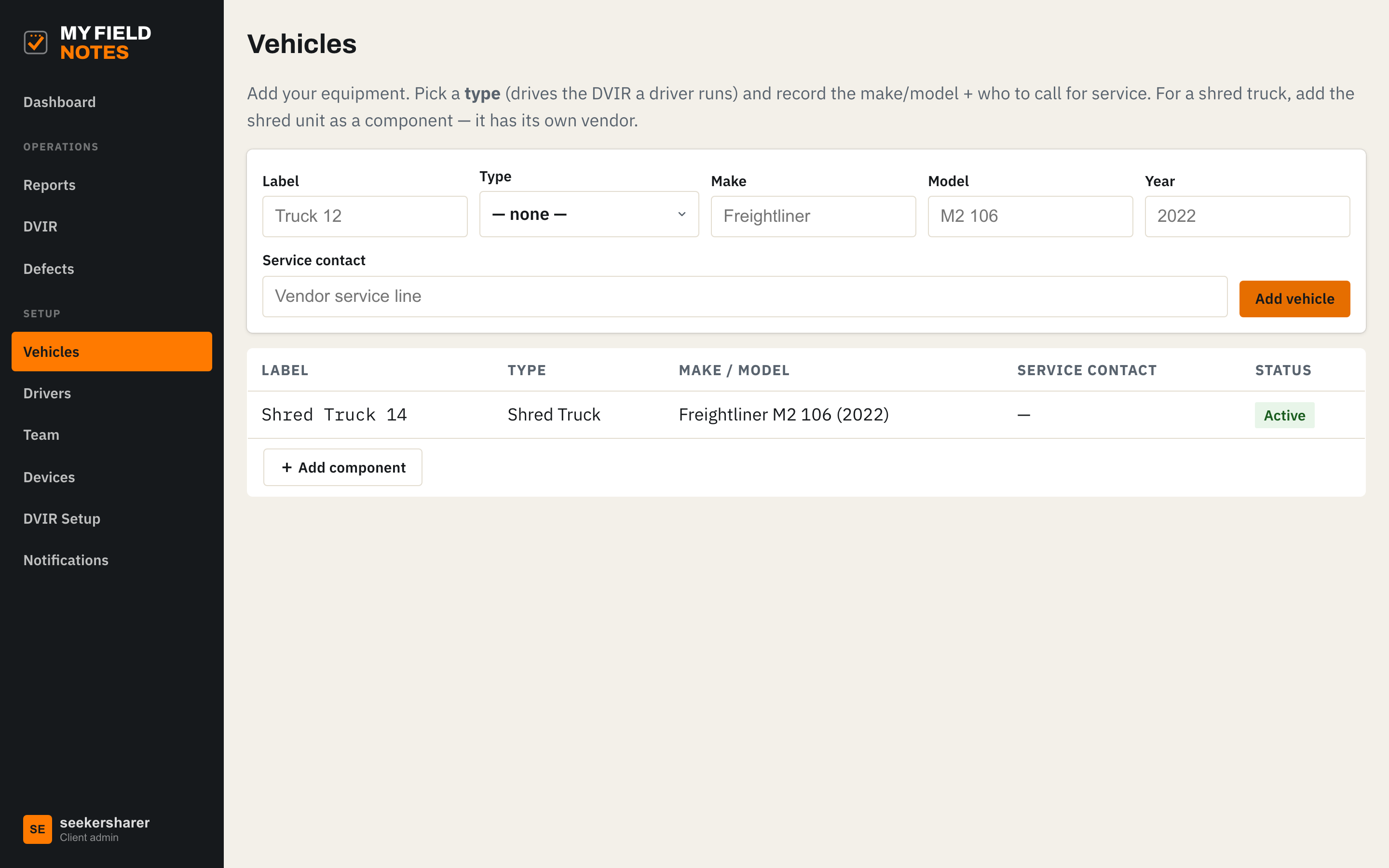
Add your trucks
Label, type, make and model. The type drives which DVIR checklist your drivers get: a shred truck gets hydraulics, shred unit, PTO and guards on top of the standard FMCSA items. Add the shred unit as a component with its own service contact.
- 2
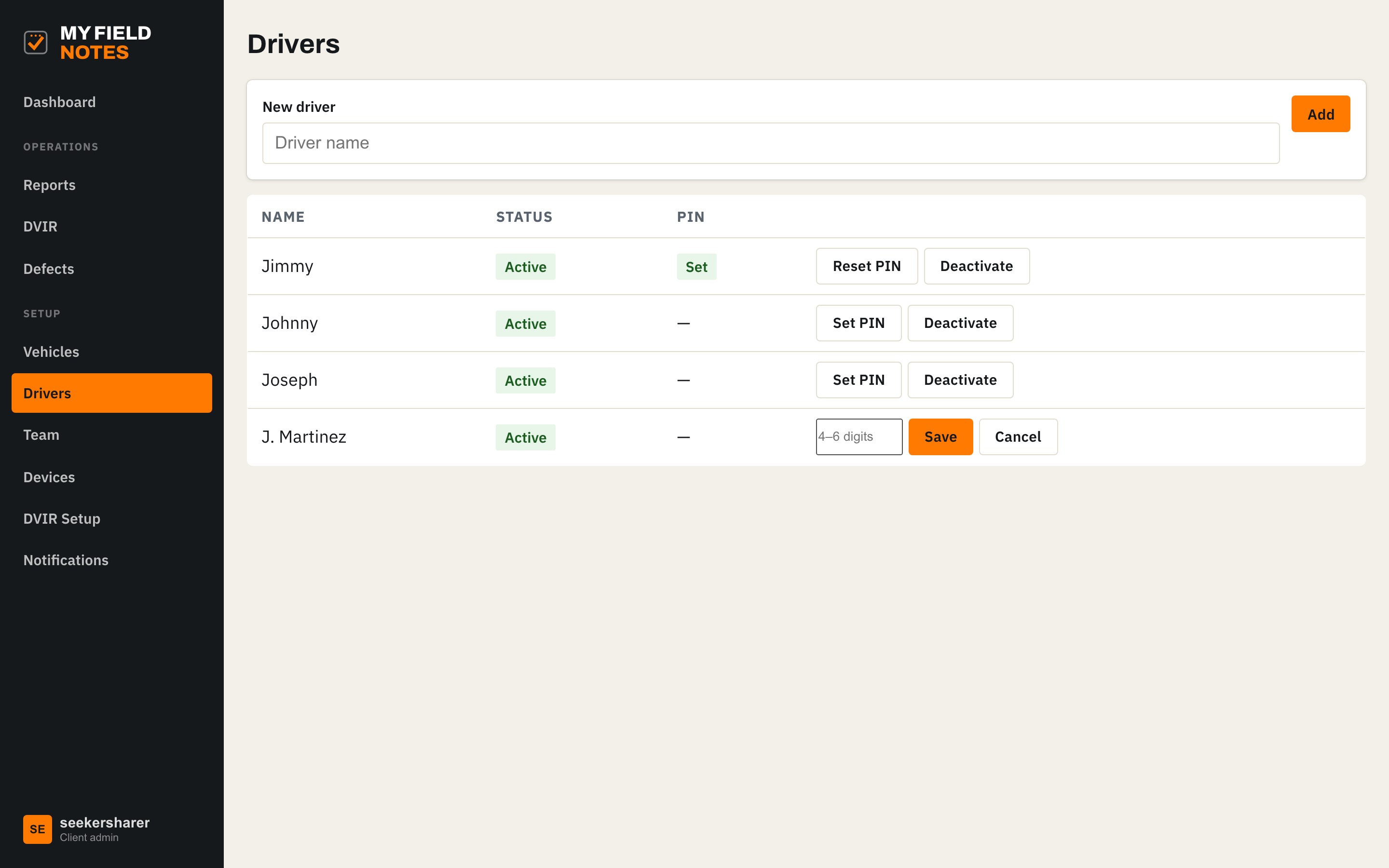
Add drivers and set PINs
A driver is a name and a PIN. No email, no account setup, no seats to license per driver. Deactivate anyone who leaves and their access ends everywhere, instantly.
- 3
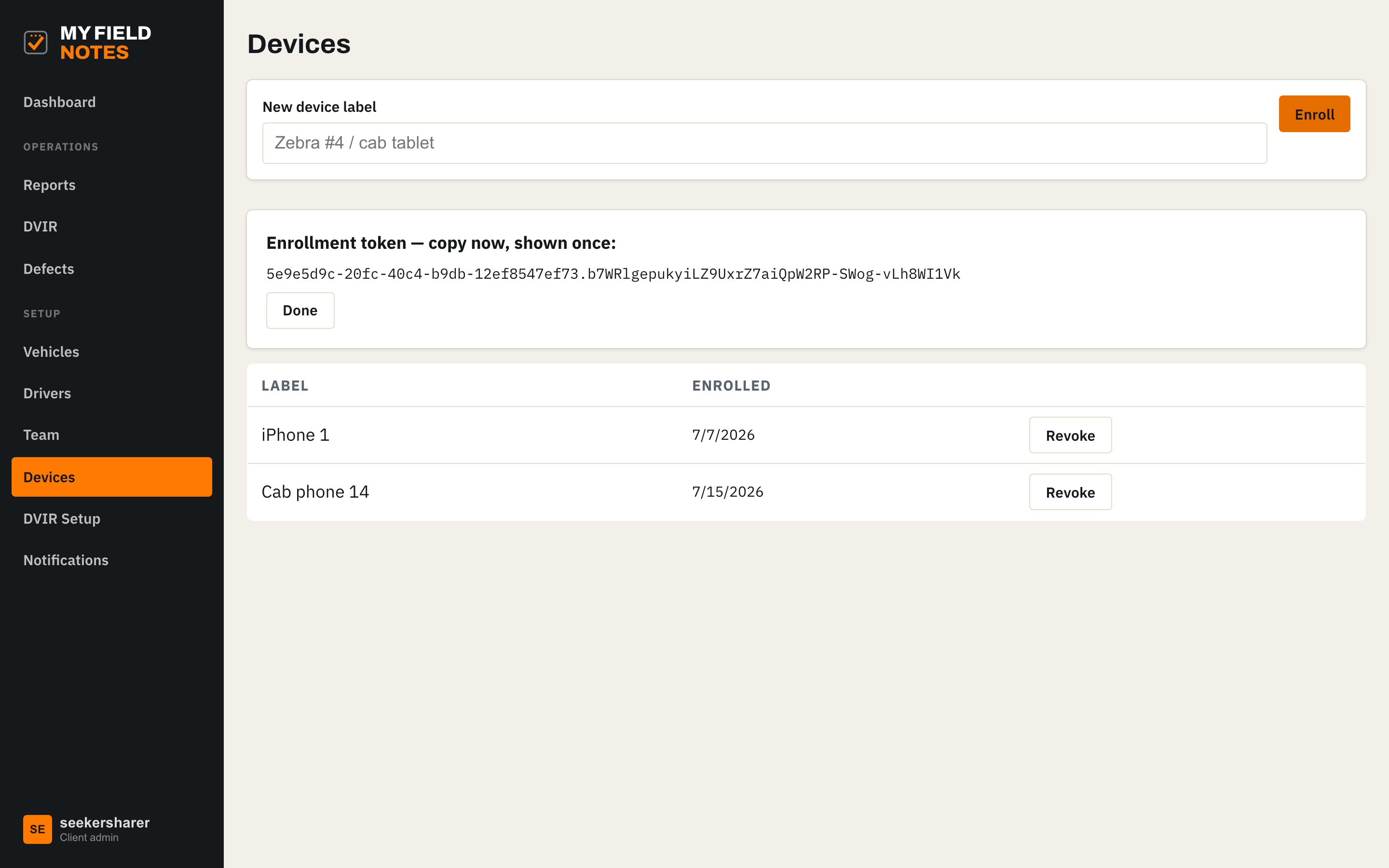
Enroll the field devices
Enroll a phone or cab tablet and you get a one-time code to pair it. The device is bound to your company; drivers share it by PIN. Lose a phone? Revoke it here and it goes dark immediately.
- 4
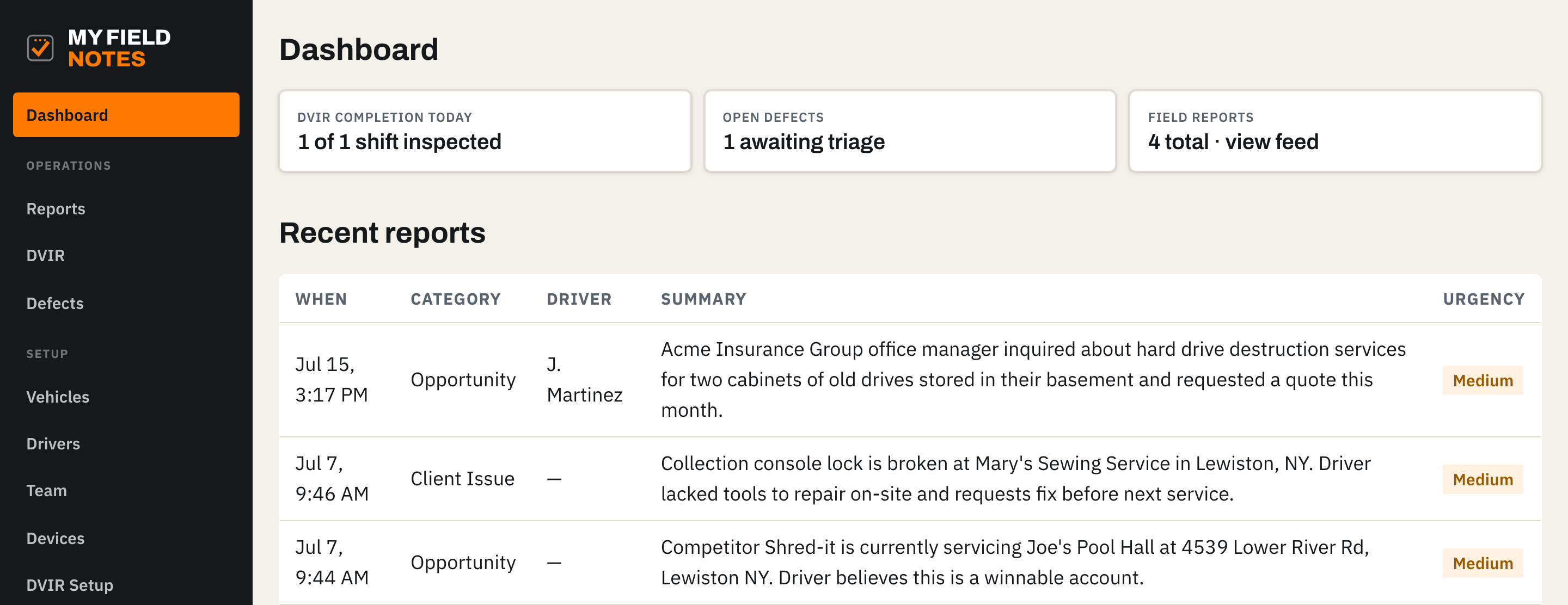
Watch the day on the dashboard
Who has inspected today, defects awaiting triage, and field reports as they land. Reports arrive as clean written summaries with urgency, even when the driver spoke the note.
- 5
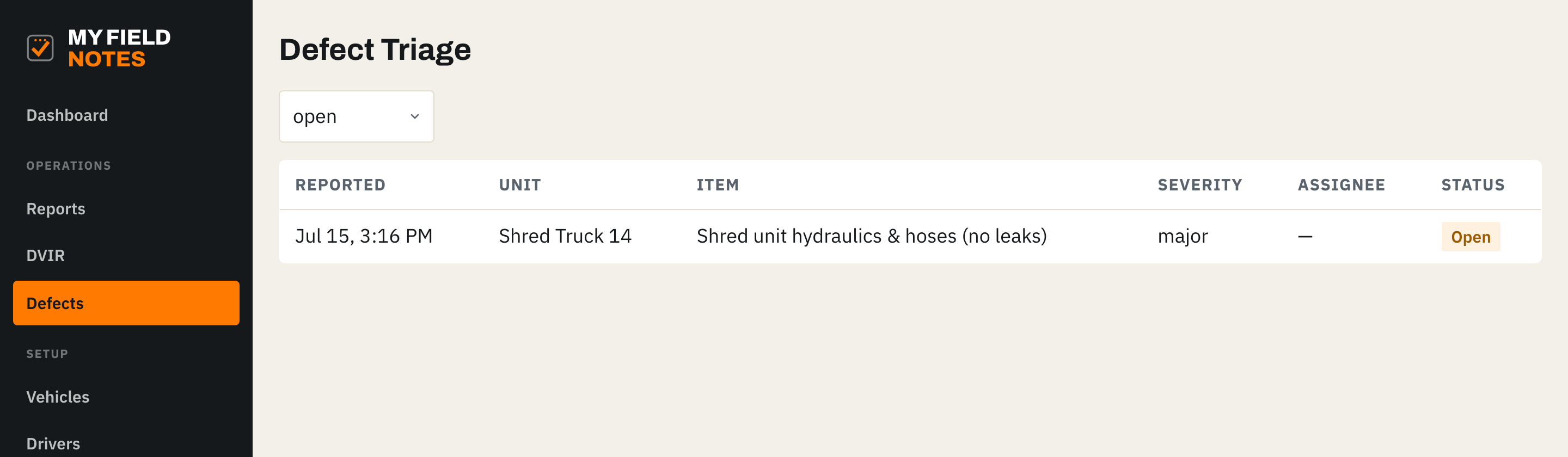
Triage defects to resolution
Every failed DVIR item lands here with severity. Assign it, move it from open to in progress to resolved, and the full history stays on the record, acknowledgment signatures included.
- 6
Route reports to the right inbox
Set who gets emailed per category: opportunities to sales, client issues to service, vehicle incidents to dispatch. Add or remove recipients yourself, no support ticket needed.
- 7
Manage your own team and logins
Add office staff and other managers, change an email, reset a password, or cut someone off the day they leave. Everyone but drivers gets a normal login they manage themselves, and there is a forgot-password flow so nobody waits on you.
- 8
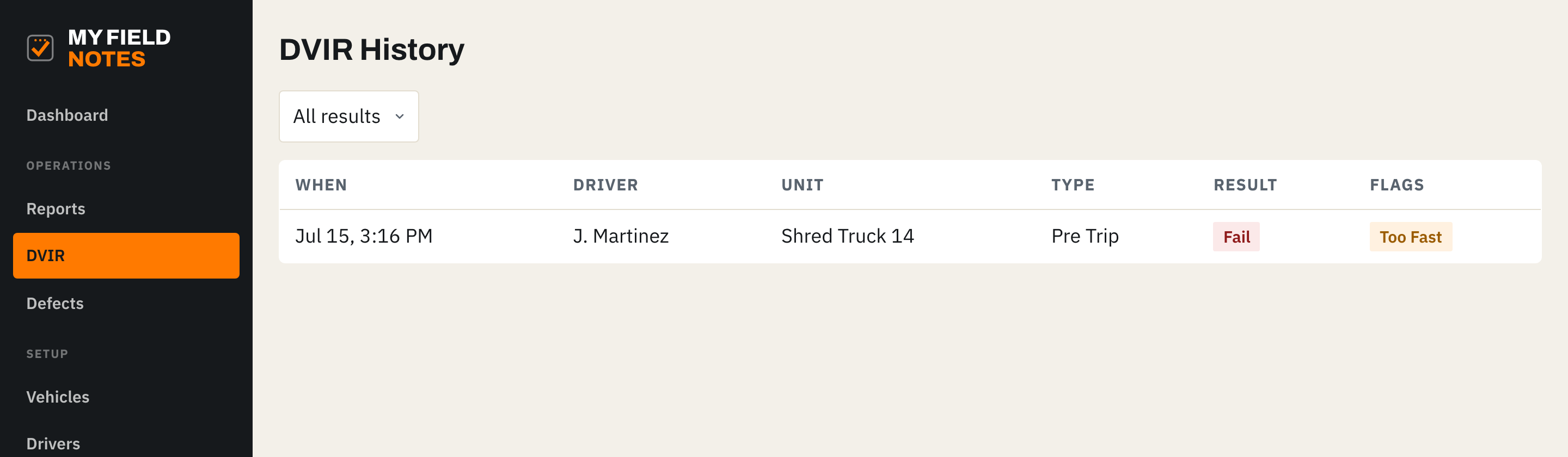
Pull the records when you need them
Every inspection is on file by truck, driver and date, and stays exactly as it was submitted. Open any one to see the full checklist, the photos, and the signature. Note the flags column: an inspection filled out suspiciously fast gets marked, so pencil-whipping shows up instead of hiding. Pick a date range and Export CSV to hand over records — summary, or full detail with a row per checklist item.
See it with your own trucks and your own crew.
A 20-minute walkthrough, then we set you up. Your drivers learn it in one morning.